1 to 2 Weeks
Typical launch window
Includes chat configuration, contact creation mapping, and pipeline automation testing.
 B
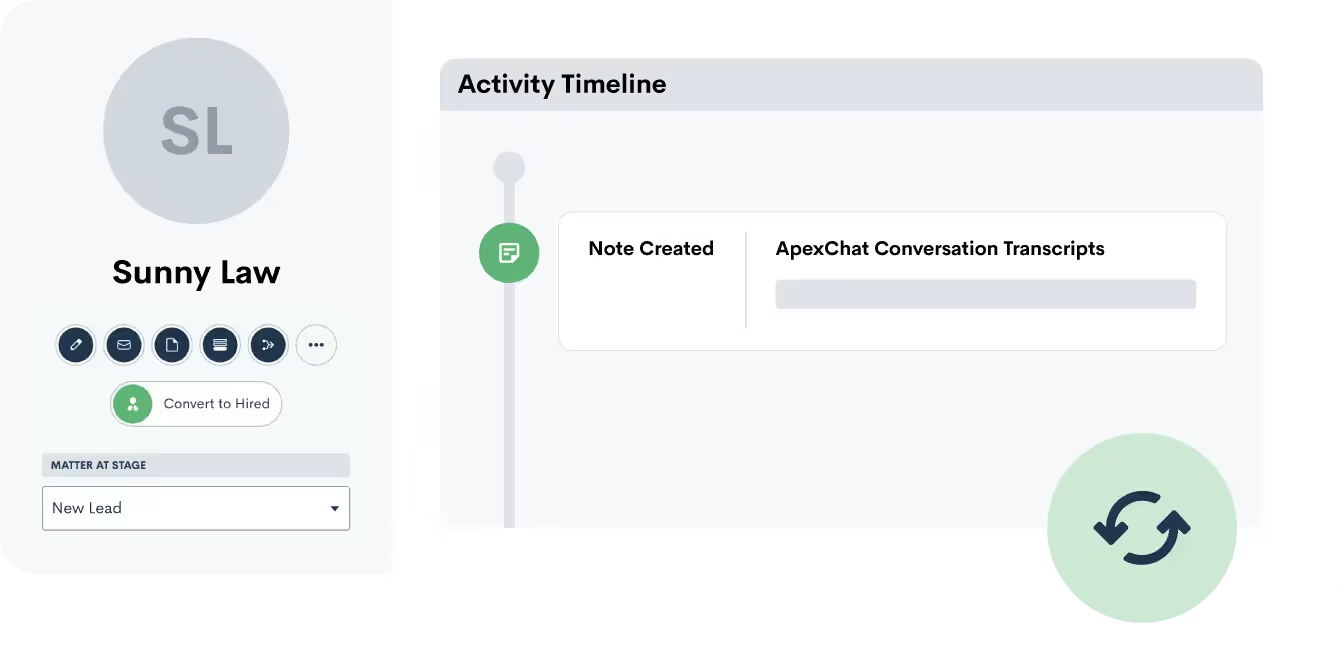
B Push lead and client information from Blazeo into Lawmatics as a new matter. Transcripts of the initial conversation via Blazeo are also added as notes to a matter in Lawmatics.
Partner-grade
Implementation controls
Execution-ready
Rollout playbook
Implementation Proof
From kickoff through post-go-live support
1 to 2 Weeks
Typical launch window
Includes chat configuration, contact creation mapping, and pipeline automation testing.
Every Chat
Creates a Lawmatics contact
Blazeo live chat conversations push leads into your intake pipeline with details attached.
24/7
Website lead capture
Live agents engage visitors around the clock and qualified leads flow into Lawmatics.
MHSB does more than connect tools. We help law firms choose the right Lawmatics audit, build, and optimization sequence before configuration begins.
Book a Strategy Consultation
Review Blazeo mapping, workflow impact, QA controls, and rollout priorities with MHSB.
Audit vs Build Guide
Choose whether your firm needs an audit, a scoped build, or a phased combination before implementation starts.
How MHSB Works
See our fixed-fee delivery model for audits, custom builds, QA, training, and launch support.
Lawmatics Implementation FAQ
Get answers on timelines, scope, training, integrations, and ongoing support.
Blazeo syncs with Lawmatics to push over any new leads from your webchats. While Blazeo handles your intake, your pipeline stays up to date in Lawmatics.
A transcript of the conversation between your lead and the Blazeo service will automatically save as a note to the matter's profile in Lawmatics. This offers you a record of communication with the lead.
The connection between Blazeo and Lawmatics runs through a custom form API. MHSB builds and maps this form so that every field Blazeo collects, name, phone, email, practice area, and chat notes, lands in the correct Lawmatics field automatically.
MHSB configures Lawmatics automations that trigger the moment a Blazeo chat creates a new matter. This typically includes a welcome email, an intake coordinator notification, and a consultation booking link sent to the lead.
Estimated timeline: 1-2 weeks including custom form creation, API connection, automation configuration, and end-to-end testing.
Create a custom form in Lawmatics with fields that match the data Blazeo collects during live chat sessions, including name, phone, email, practice area, and transcript.
Copy the API link and field mapping from the Lawmatics custom form and share them with Blazeo so their system can submit leads through the form API.
MHSB configures pipeline routing rules in Lawmatics so Blazeo-sourced leads are automatically placed in the correct practice area pipeline and assigned to the right team member.
Set up Lawmatics automations triggered by new Blazeo form submissions, such as a welcome email, intake coordinator alert, and consultation scheduling link.
Run test chat sessions and verify that matters are created in Lawmatics with all fields populated, the transcript is saved, and automations fire correctly.
A strong Blazeo integration only works when field mapping, workflow ownership, QA, and team training are designed together. MHSB typically scopes this work as part of a Lawmatics audit, implementation project, or post-launch optimization engagement.
MHSB configures and optimizes the Blazeo + Lawmatics workflow so your intake handoff, matter updates, and follow-up automations stay consistent as your firm scales. Blazeo handles the front-end conversation with your website visitors, and MHSB makes sure every one of those conversations becomes an actionable lead in your Lawmatics pipeline.
The key to getting value from live chat is speed. A lead who chats on your website at 2 PM expects a response within minutes, not hours. By connecting Blazeo to Lawmatics and layering on automations, MHSB ensures that chat leads receive immediate follow-up, a welcome email, a consultation link, and an intake coordinator notification, before they move on to the next firm in their browser tabs.
Push lead and client information from Blazeo into Lawmatics as a new matter. Transcripts of the initial conversation via Blazeo are also added as notes to a matter in Lawmatics.
By integrating Blazeo with Lawmatics, you can automatically capture and manage leads generated from your Blazeo chat interactions into your Lawmatics account. This integration streamlines the intake process, ensuring that every conversation is logged and potential clients are efficiently followed up with. This guide will provide you with step-by-step instructions for setting up the integration and making the most of Blazeo’s capabilities.
The Blazeo integration uses the Lawmatics custom form API. MHSB creates a dedicated form in your Lawmatics account with fields that map to the data Blazeo collects: first name, last name, phone number, email, practice area, and a notes field for the chat transcript. The form’s API endpoint is shared with Blazeo, and from that point forward, every completed chat automatically submits the collected data to Lawmatics.
Once the lead lands in Lawmatics, MHSB configures what happens next:
This sequence runs without anyone on your team having to lift a finger, and every step is logged on the matter timeline in Lawmatics.
Common setup path from supplemental documentation: Connecting Blazeo.
Blazeo was formerly known as ApexChat. The integration and functionality are the same. If your Lawmatics account still references ApexChat, the connection works identically.
Blazeo offers live chat staffed by trained operators as well as automated chatbot options. The Lawmatics integration works with both modes. MHSB configures the connection regardless of which mode your firm uses.
Leads are pushed to Lawmatics through the custom form API as soon as the chat session ends. In most cases, the matter is created within one to two minutes of the chat completing.
Yes. MHSB configures the integration to tag every Blazeo-sourced matter with the lead source. You can filter your Lawmatics pipeline and reporting by this source to see chat lead volume and conversion rates.
If the visitor provides contact information that matches an existing Lawmatics matter, the new transcript can be added to the existing matter. MHSB configures duplicate detection rules to prevent unnecessary duplicate matters.
Yes. You can control which pages display the Blazeo chat widget. Many firms choose to show it only on practice area pages and the contact page, rather than every page of the site. This is a Blazeo configuration setting, not a Lawmatics one.
Implementation Packages
MHSB can execute this integration as a focused sprint, a production hardening engagement, or a full operating-system rollout.
Chat-to-contact mapping, practice area tagging, and intake pipeline automation setup.
Ideal for: Firms adding Blazeo live chat and connecting it to Lawmatics intake.
Most Selected
Multi-practice routing, chat qualification alignment, and expanded pipeline automation triggers.
Ideal for: Firms with high website traffic needing chat leads categorized by practice area.
Next Step
Get MHSB support to configure mapping, automations, and data quality checks for your integration rollout.