Legal Operations
Office Manager
Own the system so the firm can trust it. We configure Lawmatics so office managers can maintain workflows, manage user permissions, onboard new staff, troubleshoot integrations, and generate reports, without relying on outside help for every change. MHSB tailors Lawmatics workflows, routing, and training so this role can execute consistently.
Need role-specific Lawmatics workflow planning?
Role pages show what changes in day-to-day execution. Use these links to move from role concepts into a scoped implementation or optimization plan.
Book a Strategy Consultation
Review role-specific workflow bottlenecks and implementation priorities for office manager workflows.
How MHSB Works
See how we audit, build, QA, train, and launch Lawmatics systems.
Compare Audit vs Build
Choose the right path when role adoption, handoffs, or reporting are inconsistent.
Lawmatics Implementation FAQ
Answers on timelines, training, support, and ongoing optimization.
The person who makes the system actually work
Office managers are the operational backbone of a Lawmatics implementation. While attorneys and intake staff use the system, you are the one who maintains it, updating workflows when processes change, fixing broken automations, onboarding new hires, and making sure data stays clean. We configure Lawmatics with you in mind: documented processes, logical permission structures, and workflows you can adjust without calling us every time.
System administration and workflow maintenance
Firms change. Practice areas expand, staff turns over, intake processes evolve. You need the ability to update pipeline stages, routing rules, and approval chains without rebuilding from scratch. We set up your Lawmatics environment with modular workflows, clear naming conventions, and documented logic so you can make changes confidently. Permission settings are configured by role so new users get the right access from day one, and sensitive data stays protected.
Training, compliance, and data quality
A CRM is only as good as the data inside it. We help you establish data entry standards, required custom fields, consistent dropdown values, tagging conventions, and build validation into intake forms so the team cannot skip critical information. For onboarding, we provide structured training materials tied to your specific configuration so new staff learn the firm’s process, not generic software features. Compliance reporting shows who is using the system correctly and where data quality is slipping.
Typical workflows we configure
- Role-based user permissions with tiered access for attorneys, staff, and admins
- Intake routing rules with practice area assignment and round-robin scheduling
- Required field validation and standardized dropdown menus for consistent data entry
- Onboarding checklists and training documentation for new team members
- Automation monitoring alerts for failed workflows and integration sync errors
- Monthly compliance reports tracking CRM usage, task completion rates, and data quality
If you want a system you can actually manage and maintain, schedule a consultation and we will build it with your role in mind.
What This Looks Like in Lawmatics
The Lawmatics views and tools we configure for office manager workflows.
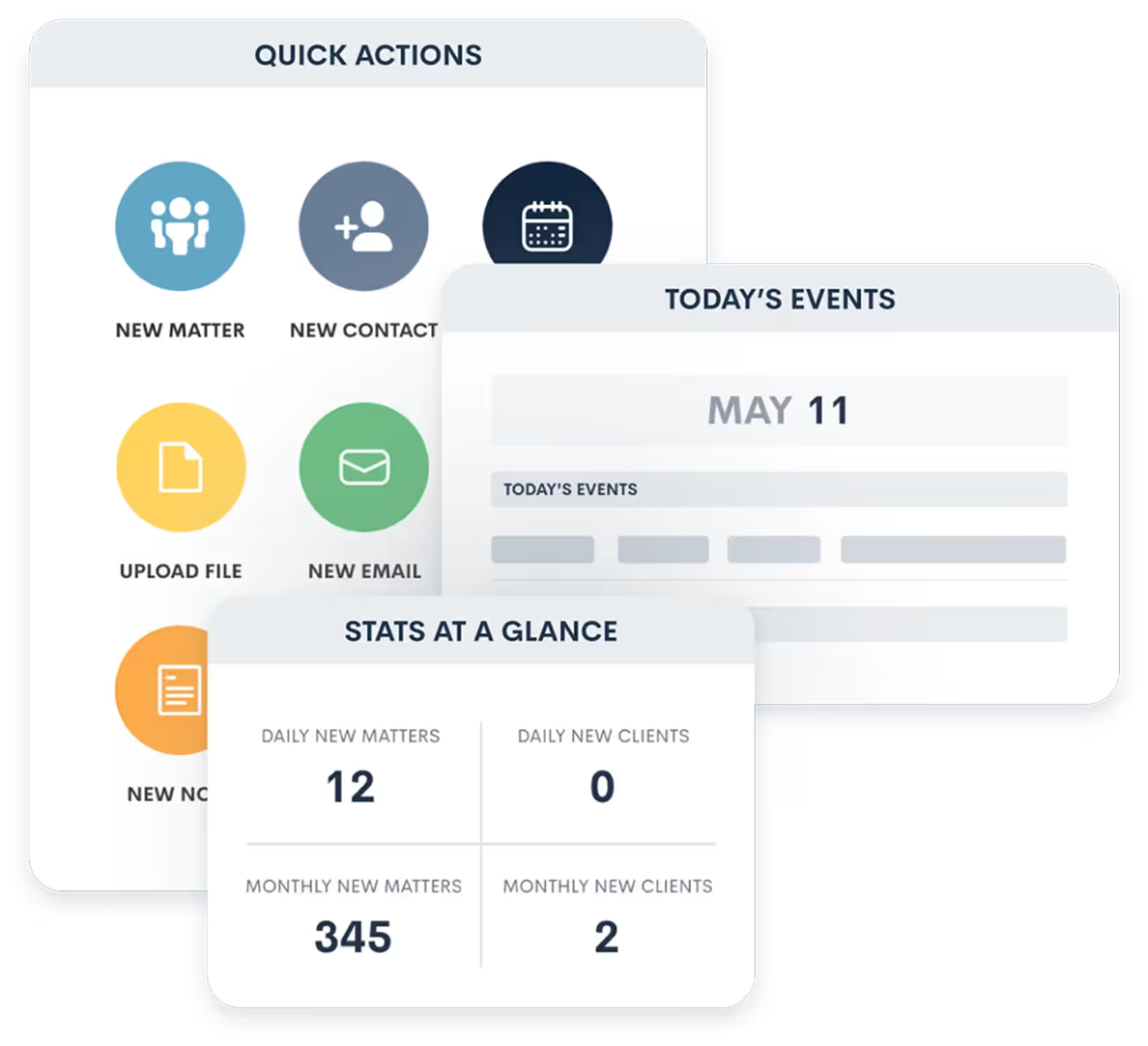
User Dashboard
Monitor team workload, task completion, and pipeline status from a single operational dashboard.
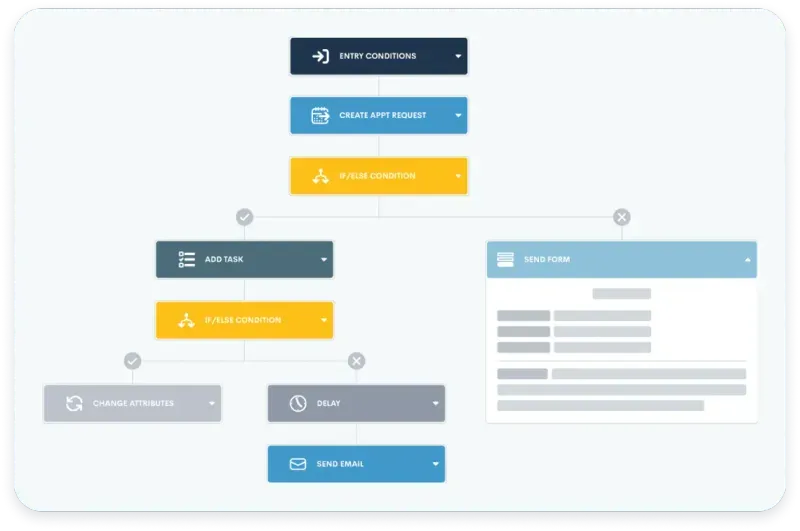
Automation Conditions
Route tasks and notifications based on matter type, attorney assignment, or stage, keeping the office running smoothly.
Key Outcomes for Office Manager
We tailor workflows so this role can move faster while staying aligned with the rest of the firm.
Admin control over user permissions, roles, and access levels.
Documented intake workflows with clear routing rules and approval chains.
Standardized data entry with required fields, dropdowns, and validation rules.
Onboarding playbooks for training new staff on CRM processes.
Troubleshooting guidance for automation failures and integration sync issues.
Team compliance reporting showing CRM usage, task completion, and data quality.
Workflow maintenance tools for updating pipelines, stages, and handoff procedures.
How Lawmatics Supports This Role
Every role benefits when communication is consistent and tasks are clearly routed.
Clear next steps
Automations keep the role focused on the most important tasks each day.
Fewer handoff gaps
Structured stages and notifications reduce missed details between team members.
Better client experience
Consistent updates build trust no matter who is assigned to the matter.
Next Step
Want Role-Specific Workflows?
Let MHSB tailor Lawmatics so every role knows exactly what to do next.