1 Week
Typical launch window
Includes chat-to-contact mapping, transcript logging, and pipeline automation setup.
 N
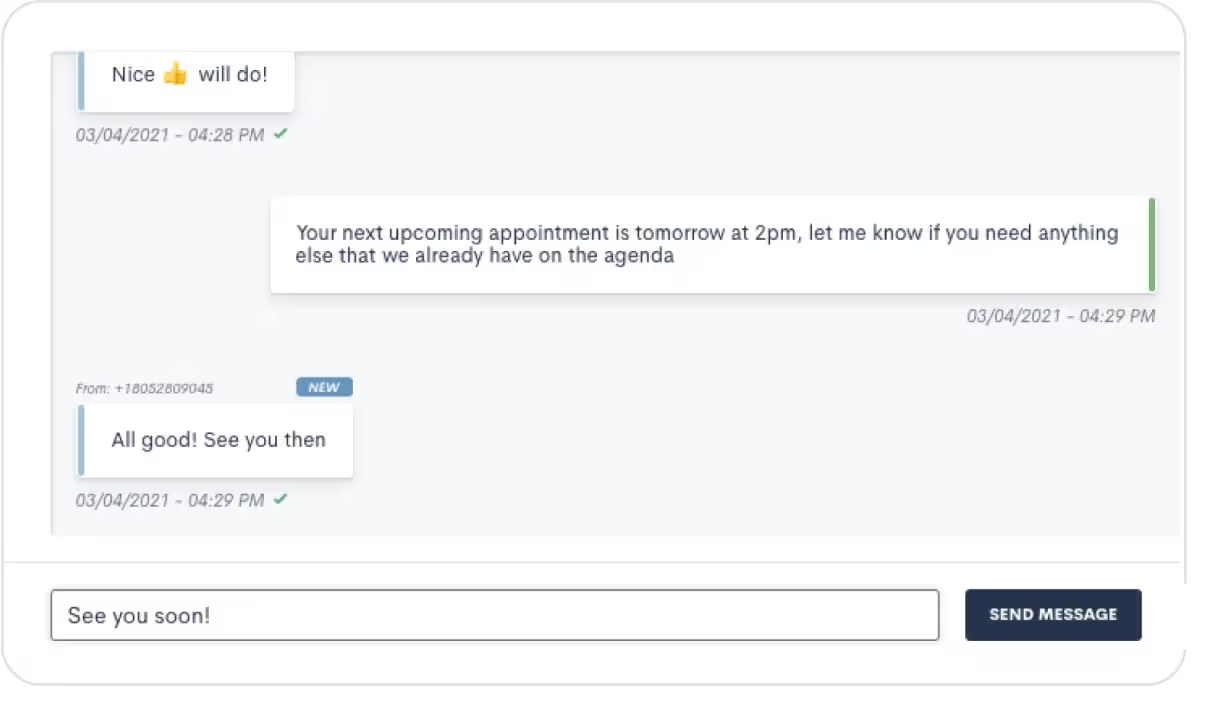
N Push lead and client information from Ngage into Lawmatics as a new matter. Transcripts of the initial conversation via Ngage are also added as notes to a matter in Lawmatics.
Partner-grade
Implementation controls
Execution-ready
Rollout playbook
Implementation Proof
From kickoff through post-go-live support
1 Week
Typical launch window
Includes chat-to-contact mapping, transcript logging, and pipeline automation setup.
Every Chat
Creates a Lawmatics matter
Ngage webchat leads push into your pipeline with contact details and conversation transcript.
MHSB does more than connect tools. We help law firms choose the right Lawmatics audit, build, and optimization sequence before configuration begins.
Book a Strategy Consultation
Review Ngage mapping, workflow impact, QA controls, and rollout priorities with MHSB.
Audit vs Build Guide
Choose whether your firm needs an audit, a scoped build, or a phased combination before implementation starts.
How MHSB Works
See our fixed-fee delivery model for audits, custom builds, QA, training, and launch support.
Lawmatics Implementation FAQ
Get answers on timelines, scope, training, integrations, and ongoing support.
Ngage syncs with Lawmatics to transfer over any new leads from your webchats. While Ngage handles your intake, your pipeline stays up to date in Lawmatics.
A transcript of the conversation between your lead and the Ngage service will automatically save as a note to the matter's profile in Lawmatics. This offers you a record of communication with the lead.
Estimated timeline: 1 week for standard setup including chat mapping, automation triggers, and test validation.
Connect your Ngage account to Lawmatics and confirm the correct webchat widget is selected.
Map Ngage contact fields (name, email, phone) to Lawmatics contact fields and verify transcript logging is enabled.
Configure pipeline automation so new Ngage matters are assigned to the correct intake owner and tagged by source.
Test by running a webchat through Ngage and verifying the matter appears in Lawmatics with all fields and transcript.
A strong Ngage integration only works when field mapping, workflow ownership, QA, and team training are designed together. MHSB typically scopes this work as part of a Lawmatics audit, implementation project, or post-launch optimization engagement.
Ngage provides live webchat agents who engage your website visitors and collect intake information before handing the conversation off to your team. The Lawmatics integration pushes each chat into your pipeline as a new matter with the prospect’s contact details and the full conversation transcript attached as a note.
MHSB configures this integration so that Ngage leads enter Lawmatics with the right tags and pipeline placement for your intake team to follow up efficiently. For firms that receive after-hours website traffic, this means the intake team starts each morning with new matters already in the pipeline, complete with the context they need to make a productive callback.
When a visitor engages with Ngage on your website, the live chat agent collects their name, contact information, and the details of their legal issue. Once the chat ends, Ngage pushes this data to Lawmatics as a new matter. The conversation transcript is saved as a note on the matter so your team can review exactly what was discussed before reaching out.
MHSB maps the Ngage fields to your Lawmatics contact and matter fields during setup, and configures automation triggers so new Ngage matters are assigned to the correct intake owner and tagged by practice area. This prevents leads from sitting unassigned in the pipeline and ensures follow-up happens promptly.
Yes. The full conversation transcript is added as a note on the matter in Lawmatics so your team has complete context without asking the prospect to repeat anything.
Yes. Matters created from Ngage can trigger Lawmatics automations for task assignment, email follow-up, and pipeline stage placement.
Ngage creates new matters. If the contact already exists in Lawmatics, your team may need to merge records. MHSB configures deduplication review as part of the intake workflow.
Implementation Packages
MHSB can execute this integration as a focused sprint, a production hardening engagement, or a full operating-system rollout.
Most Selected
Chat-to-contact mapping, transcript logging, pipeline automation, and test chat validation.
Ideal for: Firms adding Ngage webchat to their Lawmatics intake for the first time.
Next Step
Get MHSB support to configure mapping, automations, and data quality checks for your integration rollout.