1 to 2 Weeks
Typical launch window
Includes chat widget configuration, contact creation rules, and pipeline automation testing.
 L
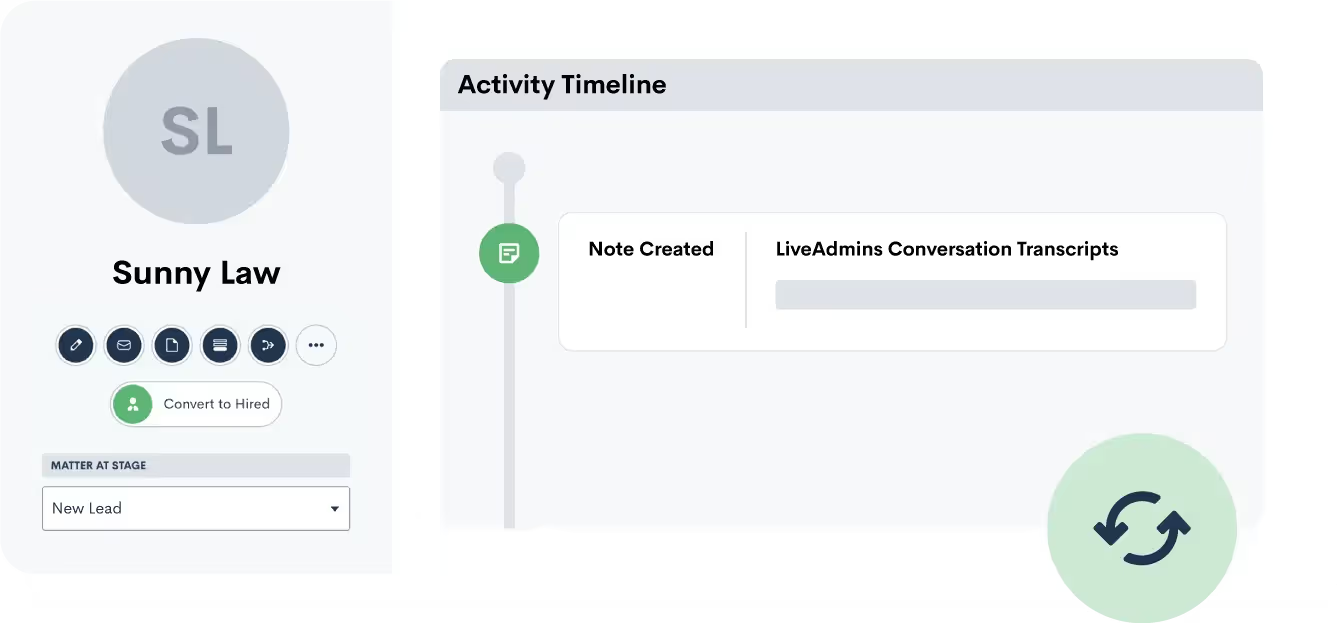
L Push lead and client information from LiveAdmins into Lawmatics as a new matter. Transcripts of the initial conversation via LiveAdmins are also added as notes to a matter in Lawmatics.
Partner-grade
Implementation controls
Execution-ready
Rollout playbook
Implementation Proof
From kickoff through post-go-live support
1 to 2 Weeks
Typical launch window
Includes chat widget configuration, contact creation rules, and pipeline automation testing.
Every Chat
Logged in Lawmatics
LiveAdmins chat transcripts create contacts with conversation details and practice area tags.
24/7
Website lead capture
Live chat agents engage visitors around the clock and push qualified leads into your pipeline.
MHSB does more than connect tools. We help law firms choose the right Lawmatics audit, build, and optimization sequence before configuration begins.
Book a Strategy Consultation
Review LiveAdmins mapping, workflow impact, QA controls, and rollout priorities with MHSB.
Audit vs Build Guide
Choose whether your firm needs an audit, a scoped build, or a phased combination before implementation starts.
How MHSB Works
See our fixed-fee delivery model for audits, custom builds, QA, training, and launch support.
Lawmatics Implementation FAQ
Get answers on timelines, scope, training, integrations, and ongoing support.
LiveAdmins syncs with Lawmatics to transfer over any new leads from your webchats. While LiveAdmins handles your intake, your pipeline stays up to date in Lawmatics.
A transcript of the conversation between your lead and the LiveAdmins service will automatically save as a note to the matter's profile in Lawmatics. This offers you a record of communication with the lead.
Many prospective clients prefer to start with chat rather than picking up the phone, especially for sensitive legal matters like criminal defense or family law. LiveAdmins puts a live human on the other end of your website chat widget, turning anonymous visitors into named contacts in your Lawmatics pipeline.
Your website gets traffic around the clock, but your office is only open during business hours. LiveAdmins staffs the chat widget during evenings, weekends, and holidays so that a prospective client browsing your site at 10 PM on a Saturday still gets a live response and ends up as a qualified matter in Lawmatics by morning.
Estimated timeline: 1 to 2 weeks. Chat script customization and automation setup are the primary time investments. Firms with one or two practice areas can often launch within the first week.
Connect your LiveAdmins account to Lawmatics by authorizing the integration from the Lawmatics Integrations page. MHSB confirms the connection is live and that test chat data transfers correctly into Lawmatics.
Customize the LiveAdmins chat scripts to match your firm's practice areas and qualifying criteria. MHSB writes chat scripts that guide the agent through the right questions for each practice area your firm handles, so the data arriving in Lawmatics is immediately useful.
Configure Lawmatics pipeline routing so that new LiveAdmins matters land on the correct pipeline and stage based on the practice area identified during the chat. MHSB sets up automation rules that sort incoming chat leads without manual intervention.
Build Lawmatics automations triggered by new LiveAdmins matters. Typical automations include an immediate email confirmation to the chat visitor, a task assignment for the intake coordinator, and a notification to the responsible attorney if the lead is flagged as urgent.
Test the full workflow by initiating chat conversations on your website during both business hours and after hours. MHSB verifies that each test chat creates a properly formed matter in Lawmatics with the transcript attached, the correct pipeline stage assigned, and all automations firing as expected.
A strong LiveAdmins integration only works when field mapping, workflow ownership, QA, and team training are designed together. MHSB typically scopes this work as part of a Lawmatics audit, implementation project, or post-launch optimization engagement.
LiveAdmins fills a specific gap in law firm lead capture: website visitors who want to engage with your firm but do not want to pick up the phone. For practice areas where the subject matter is sensitive or embarrassing, such as criminal defense, bankruptcy, or family law, the percentage of prospects who prefer chat over a phone call is significant. Without a live chat service, those visitors browse your site, maybe read a few pages, and leave without ever becoming a contact in your system.
The Lawmatics integration makes LiveAdmins more than a chat tool. It turns each conversation into a structured matter with contact information, practice area details, and the full chat transcript attached. When your intake coordinator opens Lawmatics the next morning, they are not staring at a list of names and phone numbers. They have the complete text of what each prospect described, which means the follow-up call starts at “Let me tell you about our process for handling cases like yours” instead of “So tell me what’s going on.”
MHSB focuses the implementation on three priorities: writing chat scripts that collect the qualifying information your intake process needs, configuring pipeline routing so chat leads land in the right queue, and building automations that ensure no chat lead waits longer than necessary for a response.
Push lead and client information from LiveAdmins into Lawmatics as a new matter. Transcripts of the initial conversation via LiveAdmins are also added as notes to a matter in Lawmatics.
LiveAdmins provides live-agent chat coverage for your law firm’s website, capturing visitor information and qualifying details through real-time conversation. The integration with Lawmatics ensures that every completed chat results in a new matter in your account, complete with the conversation transcript saved as a note.
For firms investing in SEO or paid search, the LiveAdmins integration closes a critical leak in the funnel. You pay to drive traffic to your website, but if visitors cannot reach a human when they arrive, a meaningful percentage of that traffic leaves without converting. LiveAdmins keeps a live agent available on your site during the hours when your office cannot answer, and the Lawmatics integration ensures those conversations become trackable leads rather than anonymous visits.
Common setup path from supplemental documentation: Connecting LiveAdmins to Lawmatics. Key configuration decisions include writing practice-area-specific chat scripts, configuring widget placement on high-intent pages, and building automations for immediate lead follow-up and pipeline routing.
LiveAdmins uses live human agents, not chatbots. The agents follow scripts customized for your firm and can handle nuanced conversations that automated bots would fumble. MHSB writes these scripts to match your intake workflow.
Yes. The entire conversation is saved as a note on the matter in Lawmatics. Your intake coordinator can read exactly what the prospect said before making the follow-up call, which means they do not have to re-ask basic questions and can jump straight to qualifying details.
Yes. LiveAdmins provides extended-hours and 24/7 coverage options. MHSB recommends at minimum covering evenings and weekends, since that is when most website visitors browse without the option to call your office.
The agent can offer to transfer the visitor to a phone call during business hours or collect their information for an urgent callback. MHSB configures the Lawmatics automation to flag these high-urgency leads with an immediate notification to the on-call attorney.
Yes. LiveAdmins allows you to customize the widget colors, greeting message, and agent avatar to match your website design. MHSB helps coordinate the branding so the chat widget looks like a natural part of your site rather than a third-party add-on.
Every matter created by LiveAdmins carries a source tag in Lawmatics. MHSB helps you build a report that shows the number of chat-initiated leads per month, their conversion rate to consultations and signed clients, and the cost per signed case compared to other lead sources.
Implementation Packages
MHSB can execute this integration as a focused sprint, a production hardening engagement, or a full operating-system rollout.
Chat-to-contact mapping, practice area tagging rules, and intake pipeline automation setup.
Ideal for: Firms adding live chat to their website and connecting it to Lawmatics for the first time.
Most Selected
Multi-practice chat routing, qualification scripting alignment, and expanded automation triggers.
Ideal for: Firms with high website traffic that need chat leads routed and prioritized by practice area.
Next Step
Get MHSB support to configure mapping, automations, and data quality checks for your integration rollout.